Wolverhampton Council Tax Pay Online, Bands, Discounts, Login & Support Help
If you live in Wolverhampton and need help with Council Tax, this guide explains the useful parts in one place: how to pay online, how Direct Debit and payment plans work, what your 2026/27 band charge means, how to view your bill online, how Single Person Discount and Council Tax Reduction can reduce the bill, what to do when moving home, and when to use the official City of Wolverhampton Council website for final actions.
🔒 Official Wolverhampton Council Tax Resources
Wolverhampton Council Tax 2026 Guide: What Your Bill Means and What to Do First
Wolverhampton Council Tax is payable on domestic properties and helps fund local services. Your bill depends on the property’s valuation band, the 2026/27 charge for that band, your account reference, payment plan, discounts, exemptions, Council Tax Reduction, arrears, refunds or moving-home changes.
If you are searching for “Wolverhampton Council Tax pay”, “Wolverhampton Council Tax bands”, “Wolverhampton Council Tax online”, or “Wolverhampton Council Tax discounts”, the best order is simple: understand your bill here first, then use the official council website only for the final task. This helps you avoid wrong payments, missed discounts, duplicate payments, and long back-and-forth enquiries.
For most residents, the key checks are: confirm your 12-digit account reference, check your band, compare the 2026/27 charge, decide whether Single Person Discount or Council Tax Reduction applies, then pay or update your details through the official Wolverhampton pages.
Step 1: Read your bill correctly
Check your name, address, 12-digit reference, band, charge, instalments and whether any discount or reduction is already showing.
Step 2: Match band to charge
Use the Wolverhampton bands table to check the 2026/27 charge before assuming the bill is wrong.
Step 3: Reduce or pay
Apply for eligible discounts or support first. If everything is correct, pay using an official Wolverhampton payment route.
Wolverhampton Council Tax Pay Online, Direct Debit, Payment Plan, Phone, Bank Transfer and PayPoint
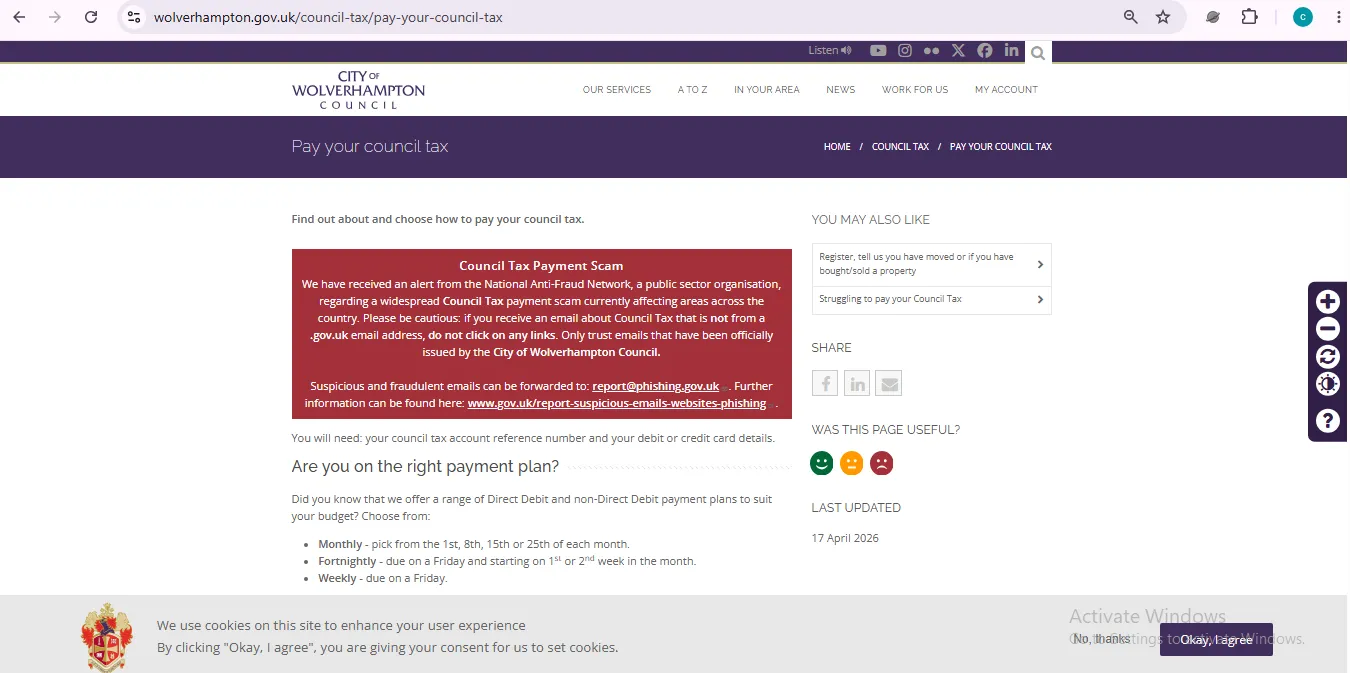
City of Wolverhampton Council gives several ways to pay Council Tax. You can pay online, set up or amend Direct Debit, choose monthly, fortnightly or weekly payment plans, use the 24-hour phone payment line, pay by telephone or internet banking, use your bill barcode at PayPoint/Post Office, or send payment by post.
1Open the official Wolverhampton payment pageStart from wolverhampton.gov.uk before entering card or bank details.▾
Use the City of Wolverhampton Council official “Pay your council tax” page. This page explains payment plans, Direct Debit, online payment, phone payment, bank transfer, barcode payment and postal payment.
Official payment page: Pay your council tax
2Find your 12-digit Council Tax account referenceThis is the most important payment detail.▾
Wolverhampton says online payment needs the 12-digit Council Tax account reference shown on your bill or reminder letter. Use it exactly. One wrong digit can delay matching your payment to the right account.
If you recently moved, do not use an old account reference without checking. A new property, new liability period or new bill can change the account details.
3Choose the payment plan that matches your incomeMonthly is not the only option.▾
Wolverhampton says residents can choose payment plans such as monthly, fortnightly or weekly. Monthly options include payment dates such as the 1st, 8th, 15th or 25th. Pick a date after your wage, pension or benefit payment arrives so instalments do not fail.
4Use Direct Debit for the easiest regular paymentsBest for avoiding missed instalments.▾
Direct Debit is the easiest option if you want the council to collect instalments automatically. Wolverhampton also warns that if you recently moved into a property and have not yet told the council, you should report the move first because that form can also set up Direct Debit.
5Use phone, bank transfer or barcode only with correct referenceThese methods are useful but need careful reference entry.▾
For phone payment, Wolverhampton lists 0800 180 4464. For telephone or internet banking, the council lists sort code 56-00-69 and account number 44470339. Use your 12-digit Council Tax account reference as the payment reference.
| Payment Method | What You Need | Best For | Watch Out |
|---|---|---|---|
| Online payment | 12-digit reference and card details. | Fast one-off payment. | Save confirmation. |
| Direct Debit | Bank details and Council Tax account details. | Regular instalments. | Report move first if newly moved in. |
| Phone payment | Card and 12-digit reference. | Automated phone payment. | Use 0800 180 4464 from official page. |
| Bank transfer | Official bank details and reference. | Bank app users. | Use reference number so payment reaches your account. |
| PayPoint/Post Office | Barcode on your bill. | Cash/card in person. | Allow a few working days for payment to reach account. |
| Post | Cheque/postal order and account reference. | People who cannot use digital routes. | Write name, address and account reference on the back. |
Wolverhampton Council Tax Online Account, View Bill, Print Statement and Check Payments
Wolverhampton’s Council Tax contact page links residents to online actions for viewing bills, printing copies, checking whether payments have been added to the account, and getting notifications when new online information becomes available.
Use it before paying twice
If you recently paid by bank, phone, PayPoint or Post Office, check whether it has already reached your account before making another manual payment.
Use it before asking for a refund
Confirm your account actually shows an overpayment. Refund forms need the right reference and bank details, so checking first saves time.
1Open the Council Tax contact pageIt routes you to common Council Tax actions.▾
Use the official contact page and choose the task you need: view bill, pay, register/move, Single Person Discount, refund, debt referral, student discounts or something else.
Official contact page: Contact Council Tax
2View and print your bill if you need proofUseful for benefit checks, rent checks or payment disputes.▾
Wolverhampton’s page says the online bill route lets you view and print copies of Council Tax or business rates bills and statements. Save the latest bill whenever your discount, reduction, moving date or payment plan changes.
3Upload evidence only through the official formKeep documents clear and readable.▾
The Wolverhampton Council Tax enquiry form includes an evidence upload option. Use clear files and include your account number if known, because this helps the department connect evidence to the right case.
Wolverhampton Council Tax Bands A to H, 2026/27 Charges and Property Value Ranges
Each Wolverhampton property is placed in a valuation band by the Valuation Office based on its value on 1 April 1991. The band decides the base Council Tax amount before personal discounts, exemptions, support, arrears or credits are applied.
| Band | 2026/27 Charge | Approx. 10-Month Instalment | Property Value Range |
|---|---|---|---|
| Band A | £1,692.66 | £169.27 | Up to £40,000 |
| Band B | £1,974.77 | £197.48 | £40,001 to £52,000 |
| Band C | £2,256.89 | £225.69 | £52,001 to £68,000 |
| Band D | £2,538.99 | £253.90 | £68,001 to £88,000 |
| Band E | £3,103.21 | £310.32 | £88,001 to £120,000 |
| Band F | £3,667.43 | £366.74 | £120,001 to £160,000 |
| Band G | £4,231.66 | £423.17 | £160,001 to £320,000 |
| Band H | £5,077.98 | £507.80 | £320,001 or greater |
Why your bill may be lower
You may have Single Person Discount, Council Tax Reduction, student discount, disabled reduction, exemption, overpayment credit or a shorter liability period.
Why your bill may be higher
You may have arrears, previous-year balance, recovery action, a lost discount, incorrect payment reference, or a move that changed your liability dates.
Official bands page: Wolverhampton Council Tax bands and charges
Official band checker: Check your Council Tax band on GOV.UK
Wolverhampton Council Tax Discounts, Single Person Discount, Student Discount and Disabled Reduction
Before paying the full amount, check whether your household qualifies for a discount or exemption. Wolverhampton’s Council Tax contact page links to Single Person Discount, student discounts, add/remove person from bill, refunds, debt referral and evidence upload routes.
Single Person Discount
Usually relevant when only one adult is counted for Council Tax at the property. Wolverhampton asks for your Council Tax reference, the date you became sole occupier and forwarding address of the person who moved out if applicable.
Student discount
Students may be disregarded or exempt depending on the household. Use the official student discount route and keep course dates and evidence ready.
Disabled reduction
Wolverhampton’s explanatory notes say a reduction may apply if your home has qualifying facilities needed by a disabled person living there.
1Apply for Single Person Discount only if it really fitsWrong discounts can create backdated bills.▾
Use the official Council Tax contact page and choose the Single Person Discount option. Prepare your Council Tax reference, date you became sole occupier, and forwarding address of the person who moved out if this applies.
Official contact page: Apply for Single Person Discount via Council Tax contact page
2Remove Single Person Discount when another adult moves inDo not wait for a review letter.▾
Wolverhampton’s form route says you need details for the person moving in, including name, date of birth, phone number, email address and date moved in. Updating quickly can prevent a backdated bill later.
3Use student discount route if your household includes studentsDates and course evidence matter.▾
Student discount or exemption depends on who lives in the property and whether the student rules apply. Keep university/college details, course dates, tenancy dates and your Council Tax account number ready.
4Check disabled reduction if the home has qualifying adaptationsThis can reduce the charge to a lower band.▾
Wolverhampton’s explanatory notes say reduction may apply where a disabled person lives in the home and the property contains a qualifying room, second bathroom/kitchen, or enough indoor wheelchair space. For Band A homes, the reduction is one sixth of the full Band A charge; for other bands, the charge is reduced to the next lowest Council Tax band.
Wolverhampton Council Tax Reduction, Low Income Help, Benefits, Debt Referral and Struggling-to-Pay Route
Council Tax Reduction can help residents on a low income. GOV.UK says Wolverhampton residents could be eligible if they are on a low income or claim benefits, and the bill could be reduced by up to 100% depending on the local scheme and personal circumstances.
Who should check support
Check if you are on a low income, unemployed, working with low earnings, receiving benefits, retired, disabled, caring for someone, or your income has recently dropped.
What to prepare
Prepare Council Tax reference, National Insurance number, income proof, benefit details, savings, partner income, children/household details and rent or housing details if relevant.
1Check eligibility through GOV.UK firstIt routes Wolverhampton residents to the correct council scheme.▾
Use the GOV.UK Council Tax Reduction route for Wolverhampton. It explains that what you get depends on where you live, your circumstances, household income, children and other adults living with you.
Official GOV.UK route: Apply for Council Tax Reduction in Wolverhampton
2Use debt referral if arrears already existDo not wait until recovery becomes harder.▾
Wolverhampton’s Council Tax contact page includes a debt referral option and says you need your Council Tax reference number. Use this if you are already behind and need the council to understand your position.
3Use struggling-to-pay route before missing more paymentsEarly contact is better than ignoring reminders.▾
If you are having difficulty paying, use the official “Struggling to pay your Council Tax” route from Wolverhampton’s contact page. Also check whether Council Tax Reduction or a payment plan change would make the bill manageable.
Wolverhampton Council 2026/27 Budget Video Context
This official WolverhamptonToday YouTube short gives local 2026/27 budget context. It is not a step-by-step Council Tax payment tutorial, but it can help readers understand that Council Tax sits inside wider local budget decisions.
Note: Use this video only for general budget context. For personal Council Tax tasks such as paying, changing Direct Debit, claiming reduction, reporting a move or requesting a refund, use the official Wolverhampton Council pages linked in this article.
Wolverhampton Council Tax Tips Most Residents Learn Too Late
These checks can help you avoid wrong payments, missed discounts, delayed refunds, online account problems and unnecessary arrears stress.
Save your 12-digit reference
You need it for online payment, phone payment, banking reference, Direct Debit, refunds, discounts and most Council Tax enquiries.
Choose payment date wisely
Wolverhampton offers different payment frequencies and monthly dates. Match the date with when your money arrives.
Report your move before Direct Debit
If you recently moved in and have not told the council, use the moving-home form first because it can also collect Direct Debit details.
Check account before paying again
Payments by barcode or bank may take time to show. Check the account before making a duplicate payment.
Remove discount when adults move in
Single Person Discount should be updated when another adult moves in, otherwise a backdated bill can appear later.
Do not ignore arrears letters
If you are behind, use the debt referral or struggling-to-pay route early with your reference number ready.
Wolverhampton Council Tax Change of Address, Moving Home, Bought or Sold Property and New Liability
If you move into Wolverhampton, move out, move within the city, buy a property or sell a property, update the council quickly. Wrong dates can cause wrong bills, refund delays or Council Tax charged after you leave.
| Situation | Details to Prepare | Why It Matters |
|---|---|---|
| Moving into Wolverhampton | New address, move-in date, occupiers, tenancy or ownership details. | Starts the correct Council Tax account. |
| Moving out of Wolverhampton | Leaving date, forwarding address and final account details. | Stops liability after you leave. |
| Moving within Wolverhampton | Old and new addresses with exact dates. | Closes one account and opens another. |
| Bought or sold property | Completion date, ownership details and forwarding address. | Confirms legal liability dates. |
| Direct Debit at new address | Bank details during moving-home form. | Prevents missed first instalment. |
Official moving route: Register or tell us you have moved via Council Tax contact page
Wolverhampton Council Tax Refunds, Overpayments, Credit Balance and Bank Details
You may have a Council Tax credit if you moved, overpaid, paid with the wrong reference, had a discount backdated, received Council Tax Reduction, or kept paying after liability ended.
Common refund reasons
Moving out, duplicate payment, Direct Debit continuing too long, revised Single Person Discount, student discount, disabled reduction, Council Tax Reduction or account correction.
What Wolverhampton asks for
The contact page says refund requests need your Council Tax reference number and bank account details.
Official refund route: Request an overpayment refund via Council Tax contact page
Wolverhampton Council Tax Arrears, Struggling to Pay, Debt Referral and Payment Plan Help
Council Tax arrears should be handled early. If you are behind, check your account, look at Council Tax Reduction, use the debt referral or struggling-to-pay route, and ask about a payment plan that matches your budget.
1Check whether the arrears are realSometimes payments are delayed or not matched.▾
Check the online account to see payments, instalments and balance. If you paid by bank transfer, barcode or post, allow time and keep proof ready.
2Use debt referral if you already owe moneyHave your Council Tax reference ready.▾
Wolverhampton’s Council Tax contact page includes a debt referral route and says you need your Council Tax reference number. Use it before the debt becomes more serious.
3Change your payment plan if cash flow is the problemWeekly or fortnightly may be easier than monthly.▾
Wolverhampton says it offers monthly, fortnightly and weekly payment plan options. If one large monthly amount is difficult, a different frequency may help you stay on track.
Official Council Tax contact page: Struggling to pay your Council Tax / Debt Referral
Wolverhampton Council Tax Contact, Web Form, Payment Line, Refund Route and Evidence Upload
The City of Wolverhampton Council Tax contact page is a task-based form. It routes residents to common actions such as register/move, pay, view bill, Single Person Discount, debt referral, refund, name change, struggling to pay, student discounts, add person to bill, death notification and general enquiry.
| Contact / Resource | Best For | Details |
|---|---|---|
| Automated payment line | Council Tax card payment by phone. | 0800 180 4464 24-hour automated freephone line |
| Council Tax contact form | Account queries, changes, discounts, refunds, evidence and general Council Tax enquiries. | Contact Council Tax |
| Online payment | Paying Council Tax by card online. | Pay Council Tax online |
| Bank transfer | Telephone or internet banking. | Sort code 56-00-69 Account number 44470339 Use 12-digit Council Tax reference |
| Postal payment | Cheque/postal order. | Banking Services, City of Wolverhampton Council, P.O. Box 260, Wolverhampton, WV1 1RZ |
Wolverhampton Council Tax FAQs
Quick answers for residents searching Wolverhampton Council Tax pay online, bands, discounts, Council Tax Reduction, online account, moving home, refunds, phone number and arrears help.
How do I pay Wolverhampton Council Tax online?▾
Use the official City of Wolverhampton Council payment page. You need your 12-digit Council Tax account reference number and your debit or credit card details.
What is the Wolverhampton Council Tax phone payment number?▾
Wolverhampton lists 0800 180 4464 as the 24-hour automated freephone line for Council Tax payments by phone.
What are Wolverhampton Council Tax charges for 2026/27?▾
Wolverhampton lists 2026/27 charges from Band A £1,692.66 to Band H £5,077.98. Band D is £2,538.99.
How do I check my Wolverhampton Council Tax band?▾
Use the official GOV.UK Council Tax band checker or VOA route, then compare your band with Wolverhampton’s official bands and charges page.
Can I get Single Person Discount in Wolverhampton?▾
You may qualify if you are the only adult counted for Council Tax. Wolverhampton’s contact page links to the Single Person Discount form and asks for your reference number and date you became sole occupier.
Can I apply for Council Tax Reduction in Wolverhampton?▾
Yes. GOV.UK says Wolverhampton residents could be eligible if they are on a low income or claim benefits, and the bill could be reduced by up to 100% depending on circumstances.
How do I view my Wolverhampton Council Tax bill online?▾
Use the view-bill route linked from Wolverhampton’s Council Tax contact page. It lets you view and print bills and statements, check payments and get online notifications.
How do I tell Wolverhampton Council Tax I have moved?▾
Use the register or moved route on the official Council Tax contact page. If you have never paid Council Tax in Wolverhampton before, select moving into the local authority from a different area.
How do I request a Wolverhampton Council Tax refund?▾
Use the request refund option on the official Council Tax contact page. Wolverhampton says you need your Council Tax reference number and bank account details.
What should I do if I cannot pay Wolverhampton Council Tax?▾
Use Wolverhampton’s official struggling-to-pay or debt referral route, check Council Tax Reduction, and ask about a payment plan that matches your budget before arrears grow.
Is UKCouncilTax.org the official Wolverhampton Council website?▾
No. UKCouncilTax.org is an independent guide. Always use official City of Wolverhampton Council and GOV.UK pages for payments, applications, account updates and legal decisions.